
I recently ran into an issue with IntelliSense support for jQuery 1.3.2 in Visual Studio 2008 SP1. Unfortunately, I did not find a whole lot of precise documentation for the solution, which was actually quite simple once I stumbled into it.
Basically, I kept getting the message “Error updating Jscript IntelliSense” … “jquery-1.3.2.js: Object doesn’t support this property or method @ 2139:1”
My script tag entries were as follows:
<script type=”text/javascript” src=”jquery-1.3.2-vsdoc2.js”/>
<script type=”text/javascript” src=”jquery-1.3.2.js”/>
The root case is that the default download from the jQuery site for the IntelliSense documentation is a “vsdoc2” file, where IntelliSense expects a vsdoc file. Simply renaming the file and changing the script reference fixes the problem.

Note the vsdoc2.js filename
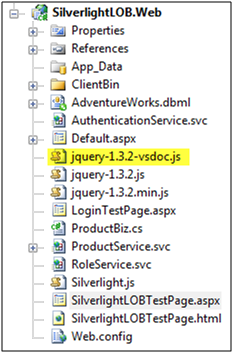
Project with Renamed File
My revised script tag entries:
<script type=”text/javascript” src=”jquery-1.3.2-vsdoc.js”/>
<script type=”text/javascript” src=”jquery-1.3.2.js”/>
And now jQuery IntelliSense works as advertised!

New Script Reference with IntelliSense Working
 DotNet Gator